If you saw me on this forum, you’ve probably saw me showing some kind of stat card (like this one!)
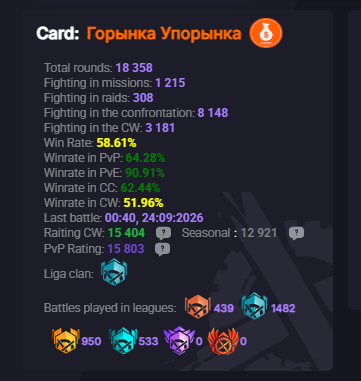
People were wondering what’s this, how to use it (and even how it’s fake since it doesn’t show all of their matches). So i decided to make a topic/guide for those who are interested (and also so i can link it further instead of individually explaining what this thing is).
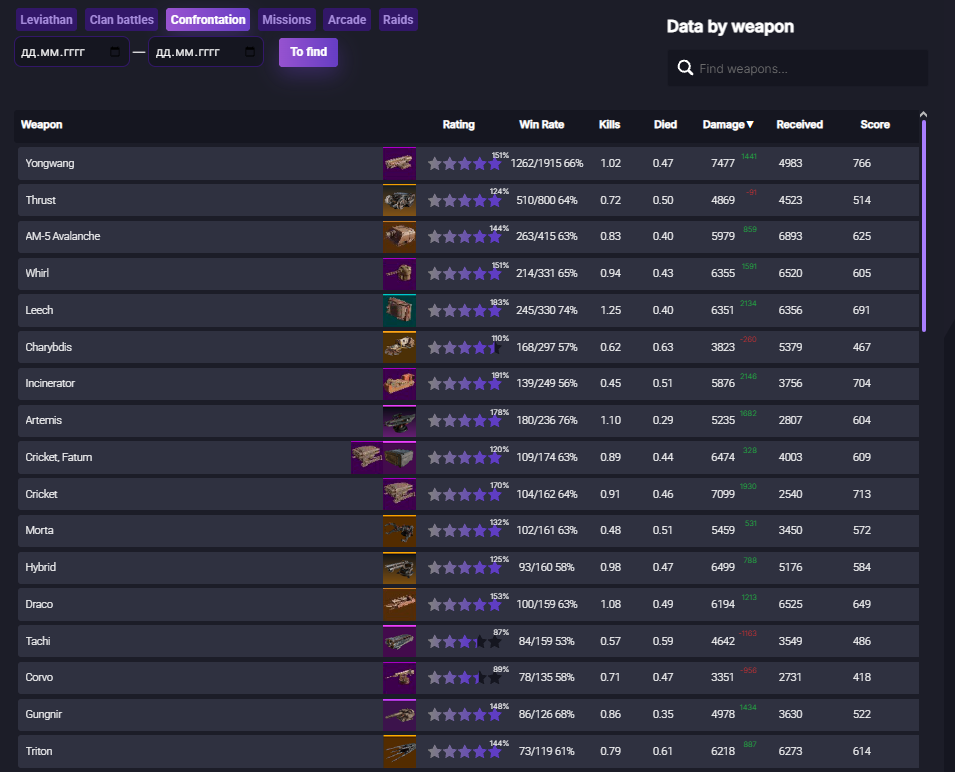
So. This is Crossout Info. Essentially, you upload your combat logs, and you can later view things like:
- average damage
- winrate
- rounds played
for specific weapons, gamemodes or for your account as a whole.
You can also view specific battles, how many damage you, your teammates and enemies did,
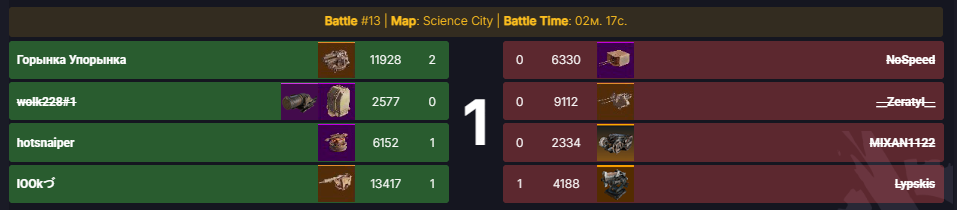
as well as how much damage you’ve recieved, or damage types dealt in that individual battle.
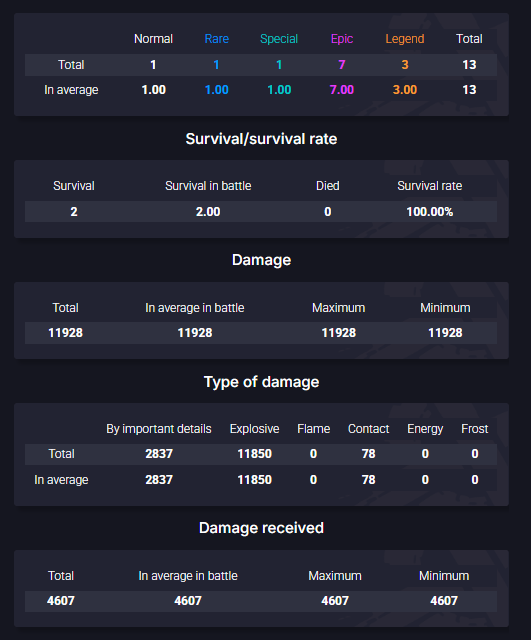
Now, concerning how some people see this site as fake. You must understand that this is a community-driven, non-official thing and not in a way a tool from Targem / Gaijin themselves - so some data might be missing.
The way it handles the data is, when you get a player in your battle that uploads their battle log, that particular battle would be logged - the performance of all participants from that battle are available for viewing, so these hundred battles or so out of tens of thousands you’ve played are exactly that if you don’t upload the battle logs yourself.
This is mostly a you-know-what-measuring thing, but you can also view the data under “Seasons” tab to see what’s currently good or bad in a particular gamemode.
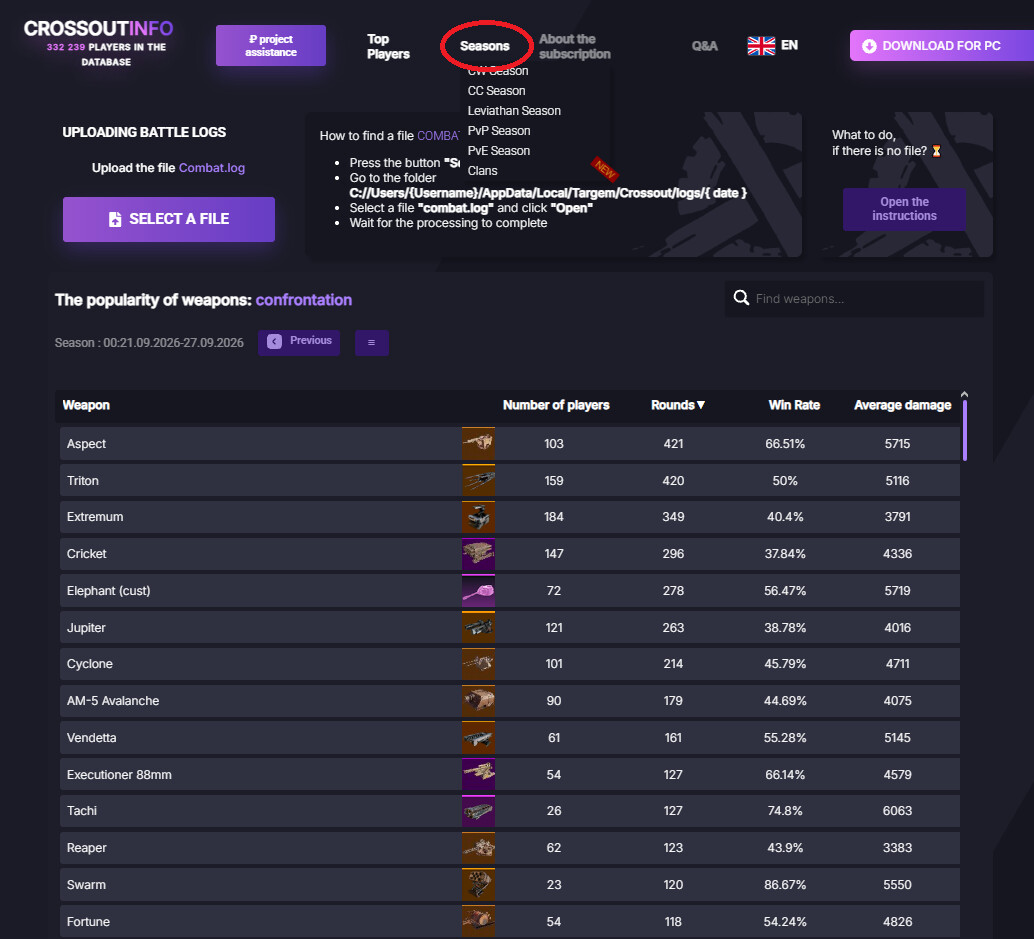
Or you can analyze what performs best. Like, what build of yours tanks more, or deals more damage, or has more winrate.
Now, there are two ways of uploading the battle logs - we’ll use the manual method as it doesn’t require downloading anything.
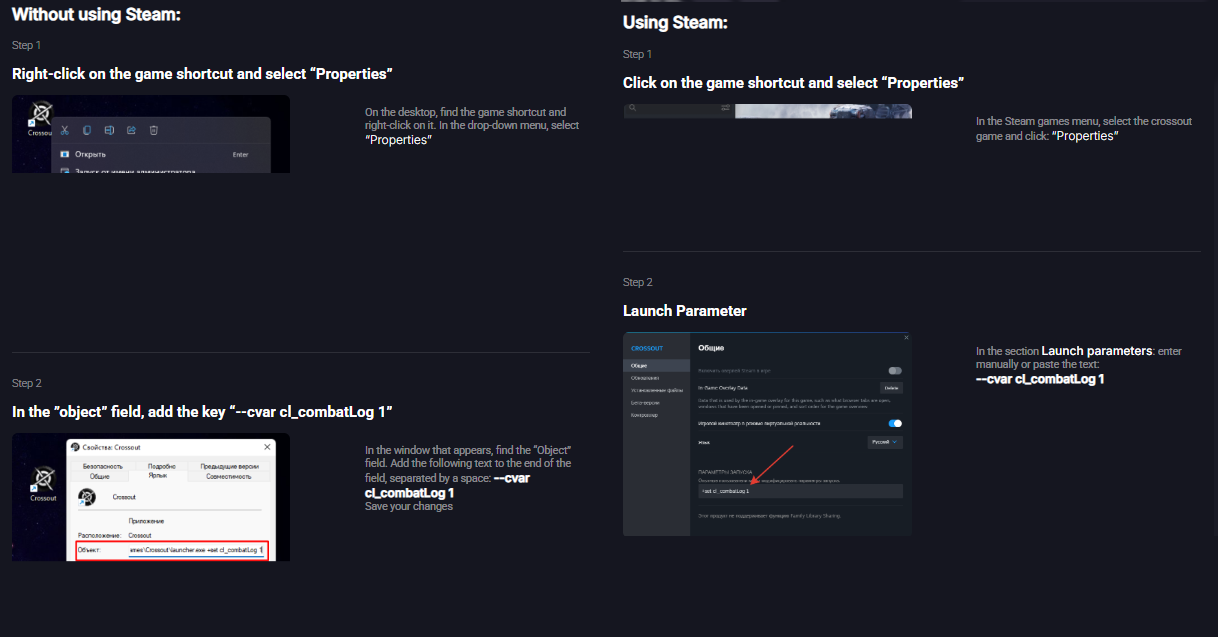
All you need to do is to input
–cvar cl_combatLog 1
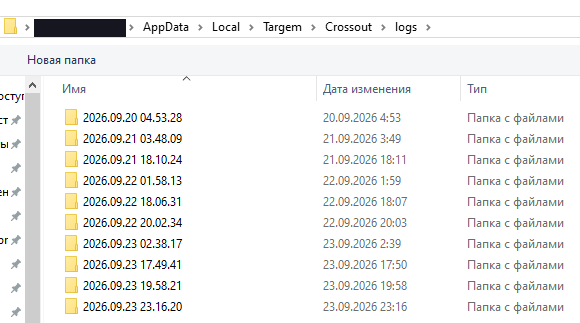
into the launch options. (Logs were turned on by default, but devs removed that feature. sadge.) If everything is done correctly, next time you launch Crossout, there should be a “combat.log” file inside the С://Users/{Username}/AppData/Local/Targem/Crossout/logs/{Date} directory. You should upload that file, and the battle log will be available.
Hopefully that helps and clears some confusion.