i went to paint my car with black gold paint and i added a few other parts to it so i wanted to paint them to… well when i went to select black gold again it wouldnt let me. i had to choose another paint, paint my entire car with it, then switch to black gold and repaint it again. this got me curious so i went to try it with a bunch of other paints and its exactly the same thing for them. it never used to do this, i could select the paints all i want and now it will only let me select it one time before blocking me from choosing it again… is anyone else having this issue? can anyone else also test this to to tell me its not just me?
Yep, I wrote about this new “feature” in another thread. What you have to do when you want to use a paint that’s already on the build, is right-click on it, then click “use”.
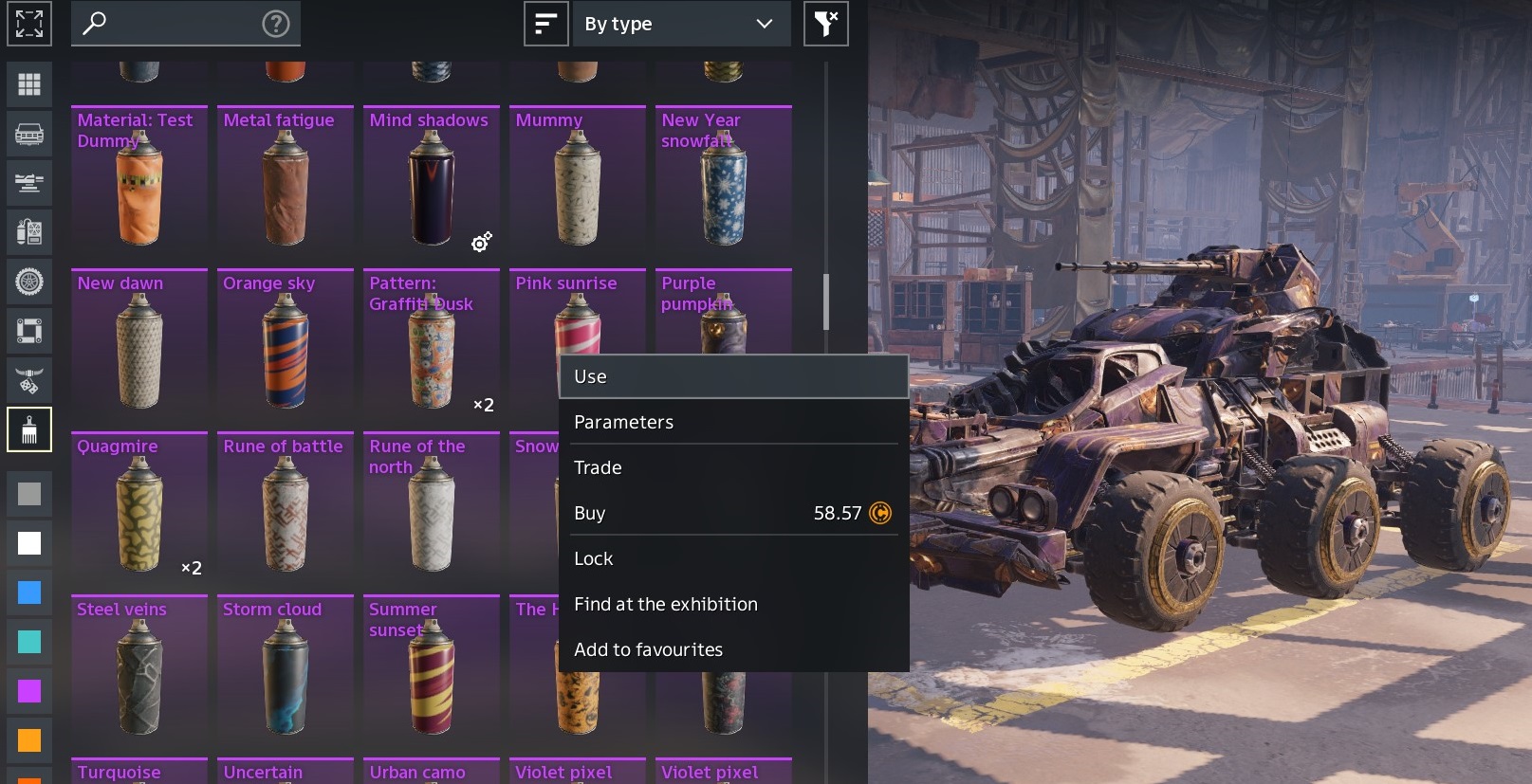
Here, I right-clicked Purple Pumpkin, then will click USE to select it.
I’m trying to think of a real-life situation that works just like this, but for some reason, I can’t. 
1 Like
To use a paint already on build, with any paint color selected, hold ctrl and click on a painted part to switch to that color.
Hello,
Oh, thank goodness it’s not just me! I thought my controller or game install was completely bugged out. I was trying to paint a new bumper and spoiler the exact same color as my primary coat, and the menu just grayed it out or acted like clicking it did nothing unless I swapped to some random neon color first. Super annoying workflow killer.
Best Regadrs